
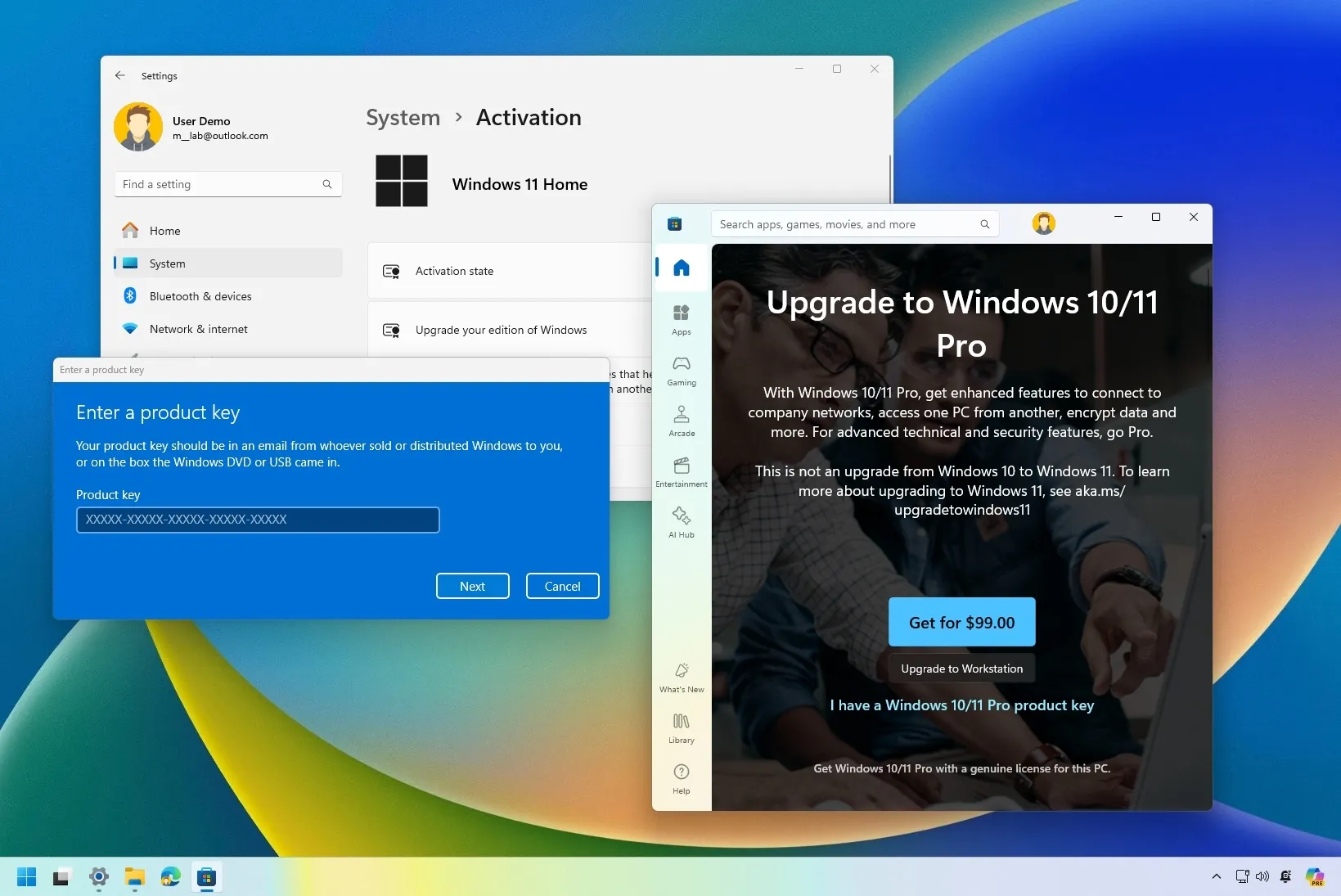
The process of installing or upgrading to Windows 11 is anchored by one essential step—the product key. As the digital hub for modern computing, Windows 11 brings next-generation features, security, and productivity to millions of users worldwide. At the heart of this experience lies the Windows 11 product key, a 25-character code that authenticates and activates your operating system. This single string of characters holds remarkable importance, governing access to updates, security features, and the overall legitimacy of your software. Users often wonder what to expect when it’s time to enter or retrieve a product key, and understanding this process can prevent headaches and ensure a smooth transition to Windows 11.
Windows 11 Product Key: First Steps and Activation
The initial encounter with the Windows 11 product key typically comes during installation or setup. If you’re migrating from an older version or setting up a new device, the system prompts you to enter this 25-character code. Its purpose is to prove that your copy of Windows 11 is genuine, not pirated or duplicated. For new devices, the product key may be integrated into the hardware, printed on a certificate, or delivered digitally. For upgrades, users often rely on their previous Windows product key or receive one directly via email or retailer instructions.
Upon entry of the Windows 11 product key, the system checks the validity online. If accepted, your copy of Windows 11 is activated, granting full access to features, updates, and security protocols. This activation is much more than a technicality; it confirms your eligibility for ongoing improvements, such as important patches and version upgrades. Activation via a product key is a seamless process, and Windows 11 provides clear prompts should anything go wrong, such as message notifications if a code is mistyped or invalid.
The flexibility of Windows 11 means those who skip the key entry during installation can return to it later. The operating system keeps track of activation status through a dedicated area in “Settings > System > Activation”, making it easy to review license details and change the product key if necessary. Users benefit from a transparent view of their activation state and easy pathways to solve issues, whether through digital keys, older license codes, or manual entry.
Benefits of a Genuine Windows 11 Product Key
Activating Windows 11 with an official product key is foundational to user security. Genuine activation ensures your system gets the latest updates—critical for defending against malware, ransomware, and other cyber threats. Without an active product key, devices lose the ability to access timely security fixes and feature enhancements. A valid Windows 11 product key not only confirms legitimacy but also protects personal data, strengthens online safety, and futureproofs the device against emerging risks.
Access to customisation and support is another major benefit. With a Windows 11 product key, users unlock full personalisation options, from desktop themes and setup tweaks to advanced system configurations. Devices activated without issues can connect to Microsoft’s support channels for troubleshooting, upgrade advice, and warranty assistance. Users who experience activation errors or product key problems are guided step-by-step through online help, making resolution easier and more approachable.
The Windows 11 product key also champions a clean, stable operating environment. Genuine activation minimises software crashes, reduces compatibility errors, and provides a smooth update process. This stability is essential for professional work, gaming, education, and creative projects that demand uninterrupted performance. With an authentic product key entered, users spend less time worrying about reliability and more time engaging with their applications.
Troubleshooting and Managing Your Windows 11 Product Key
Issues sometimes occur even with the correct product key. Activation failures may be triggered by hardware changes, system upgrades, or mistyped codes. Windows 11 offers robust support for these scenarios. Users can re-enter their product key, use phone or online support to verify ownership, or troubleshoot potential problems with activation servers. The Settings menu gives easy access to change or update product keys, ensuring quick recovery from common setbacks like misplaced codes or system resets.
Devices bought as refurbished or second-hand often require a manual product key entry. Here, a Certificate of Authenticity or card with a scratch-away panel reveals the unique code. Users must ensure the product key matches the device or licence edition they’re activating—Windows 11 Home, Pro, or Enterprise—since mismatched keys can lead to activation errors. Windows will indicate if the wrong code is entered, prompting corrective action.
For advanced users, command line tools allow deeper management of Windows 11 product keys. Through simple commands, you can uninstall previous keys, install new ones, and even automate parts of the activation process. This flexibility is particularly helpful for users migrating multiple machines, IT professionals preparing devices for businesses, or consumers upgrading from older Windows versions.
The Windows 11 product key also facilitates reactivation after hardware changes or system repairs. When a motherboard is swapped or significant upgrades occur, Windows may prompt for a product key again. If the original manufacturer has supplied an authenticity certificate or card, users can enter the key and regain access without loss of customisation or settings.
Lifetime Value, Portability, and Futureproofing
One of the key advantages of a Windows 11 product key is portability. Depending on the license type, users may be able to transfer their operating system to a new device or reinstall after hardware improvements. This process involves re-entering the product key and validating with online servers. Transferring licences is helpful for users who upgrade their computers regularly, replace hardware, or want peace of mind if their original device fails.
Owning a valid Windows 11 product key also confers peace of mind for the future. With Microsoft’s commitment to regular updates and expanded features, activated users always stay current. Those with expired or pirated product keys risk missing out on new tools, productivity innovations, and compatibility improvements that enhance user experience. The product key acts as your ticket to the best of what Windows 11 will offer over its lifecycle.
For organisations and professionals, managing product keys is a vital aspect of IT compliance and policy. Knowledge of how to enter, update, and maintain product keys supports security audits, system inventory, and renewal planning. On the personal side, keeping track of your Windows 11 product key means effortless upgrades, smoother troubleshooting, and full engagement with digital transformation.
Conclusion
The Windows 11 product key remains an essential part of modern computing—unlocking legitimacy, security, and ongoing value for users. From activation to troubleshooting, ongoing support, and future upgrades, the product key ensures a seamless Windows 11 experience, protecting your investment and enhancing every aspect of device function. By managing and understanding your code, you gain confidence in the long-term vitality and resilience of your operating system. Whether buying a new machine, upgrading an existing one, or restoring after repairs, the Windows 11 product key is your trusted companion on the journey to digital productivity and reliability.